Every link opens in the right browser.
And the right profile.
You keep different browsers, or different Chrome profiles, for work, your personal life, and side projects. But macOS only lets you pick one default browser, so links keep opening in the wrong place. Pixley Link Router sits between your clicks and your browsers and sends each link where it belongs.

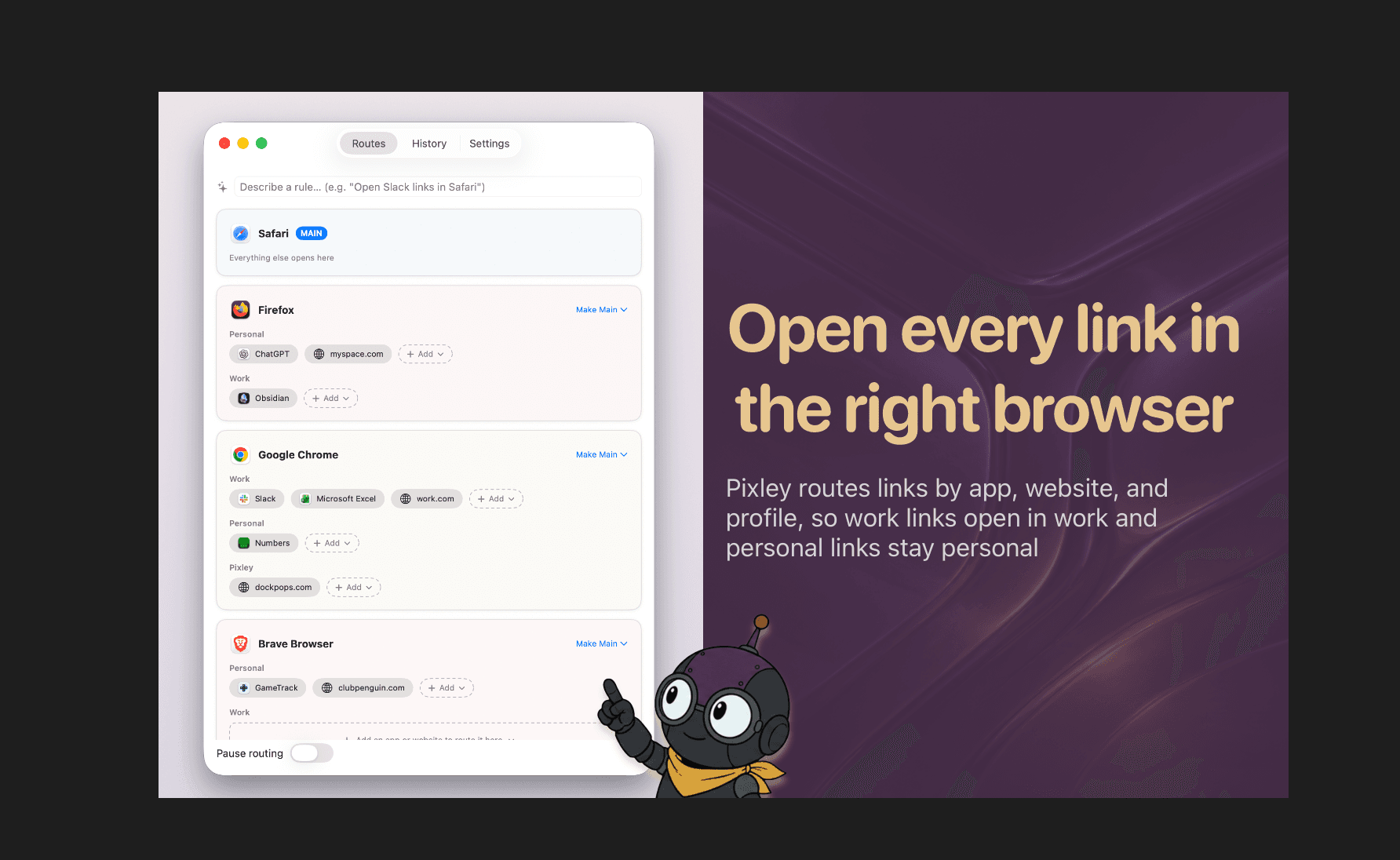
Route by the app a link came from, the site it points to, or the profile it belongs in.
Click a link in Slack and it opens in your work Chrome profile, not your personal browser.
Open a personal link and it lands in Safari, where the rest of your life lives.
Follow a client's link and it opens in the browser you're already signed into for that client.
Site rules beat app rules, and one switch pauses everything when you need it. Works with Chrome, Edge, Brave, Vivaldi, Chromium, and Firefox, down to individual profiles.
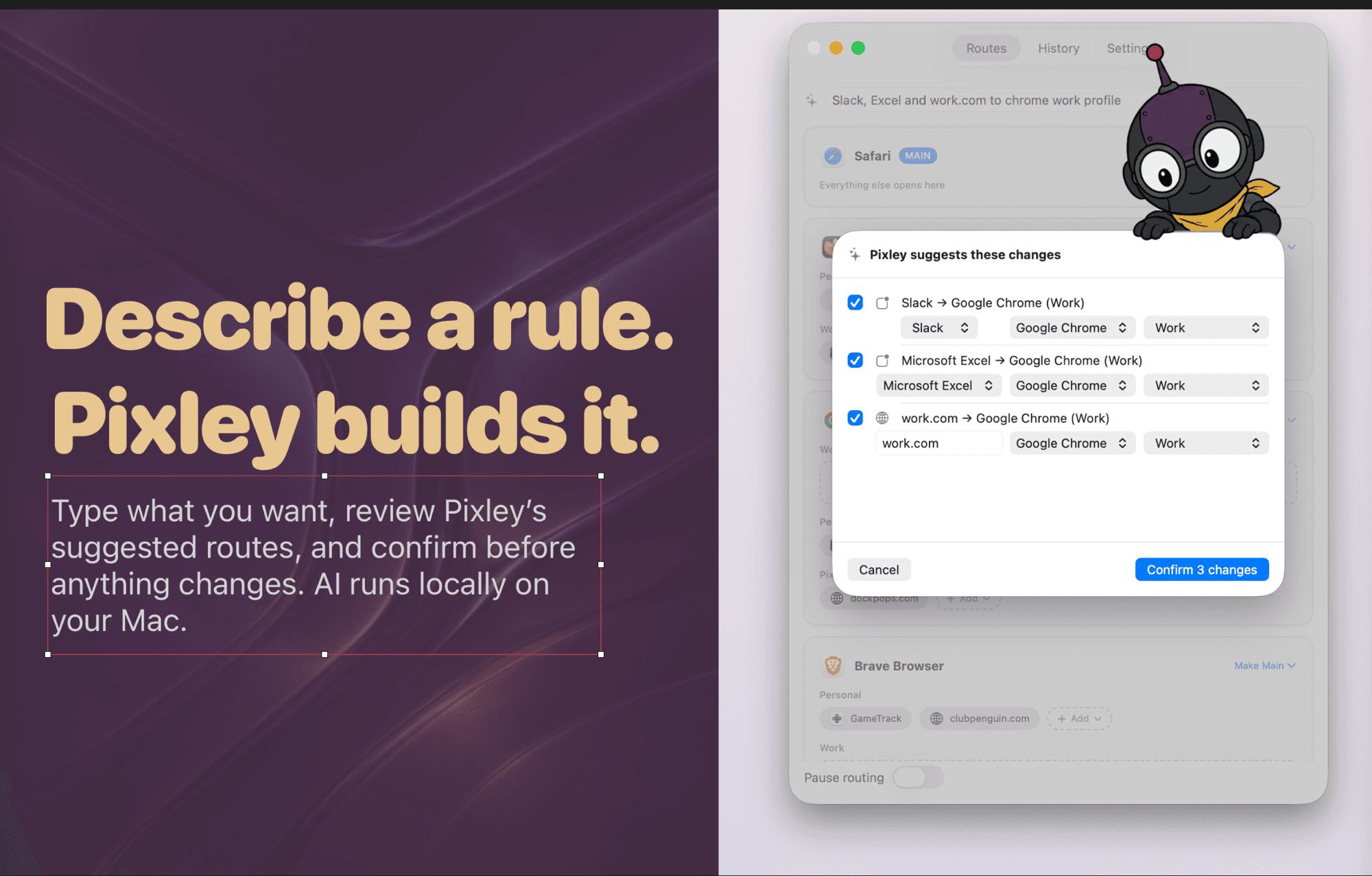
Just describe the rule.
Type what you want, like "open Slack links in my work Chrome," and Pixley builds the rule for you. It runs on Apple Intelligence, entirely on your Mac, so your words never leave the device. Pixley always shows you what it is about to change and waits for your OK.
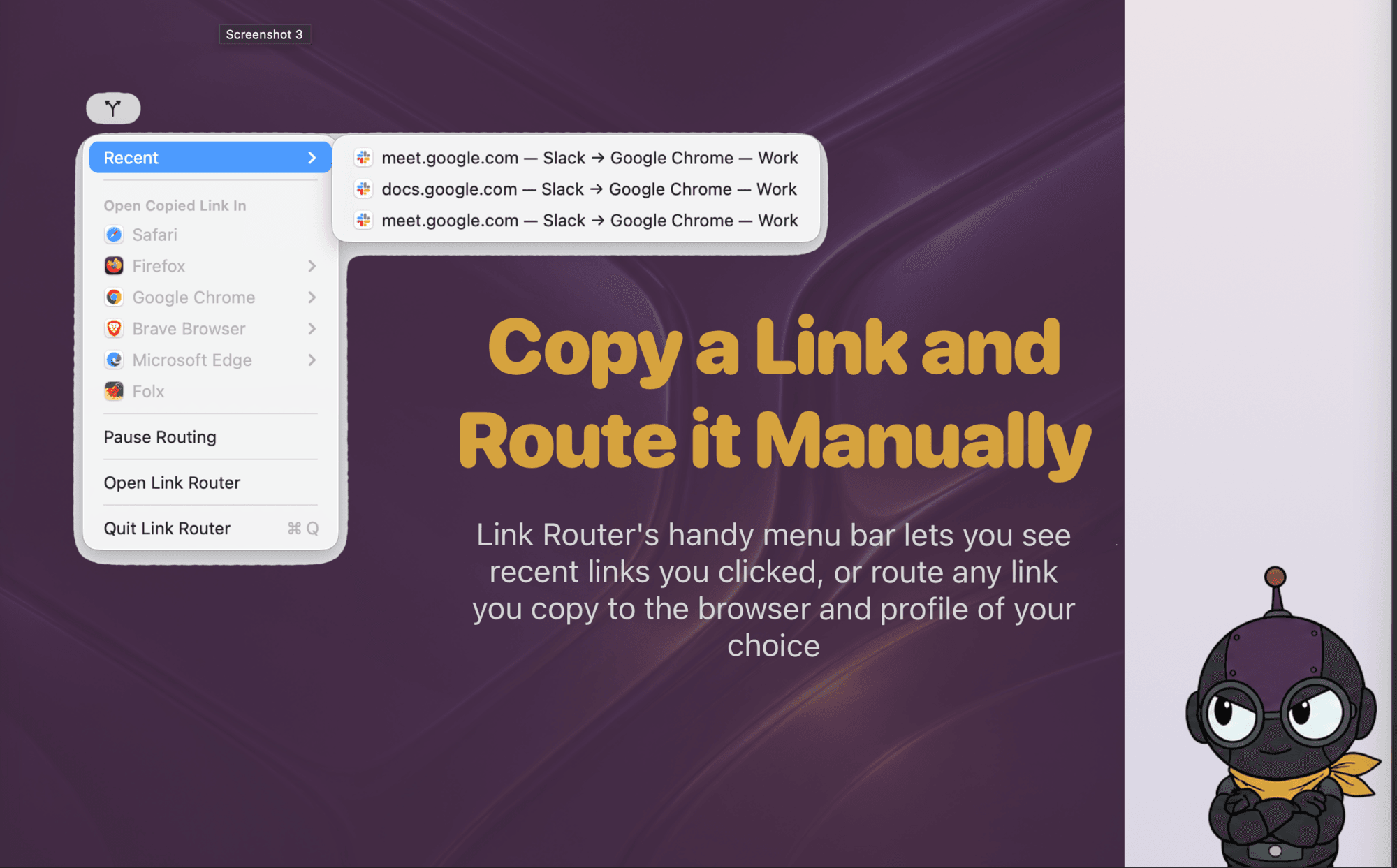
See where links went, or route one on the spot.
Pixley lives in your menu bar and stays out of the way. See the last links you clicked and where they went, or paste any link and send it to the browser and profile you want, right then.
No account, no network connections, nothing collected. Your links and rules stay on your Mac, and the AI runs on-device. If a rule ever cannot be applied, the link still opens in your main browser, so a link is never dropped.
Read the privacy policy →Send every click to the right place.
Free · macOS 14 or later